
- Home
- Advertise
- Specifications & Deadlines
- Digital
- Big Reveal
Big reveal.
The Big Reveal stands out as an innovative approach in advertising. It presents a scroll-to-reveal full-screen canvas accompanied by a rich media panel that delivers interactive content. This innovative placement engages audiences as they read editorial content across The New Zealand Herald by splitting the screen to reveal bespoke creative. By splitting the screen, it unveils bespoke creative designs, creating a unique and immersive user experience.
Why use it?
Full-screen creative drives stronger engagement and attention, resulting in improved campaign performance and more impactful outcomes for advertisers.
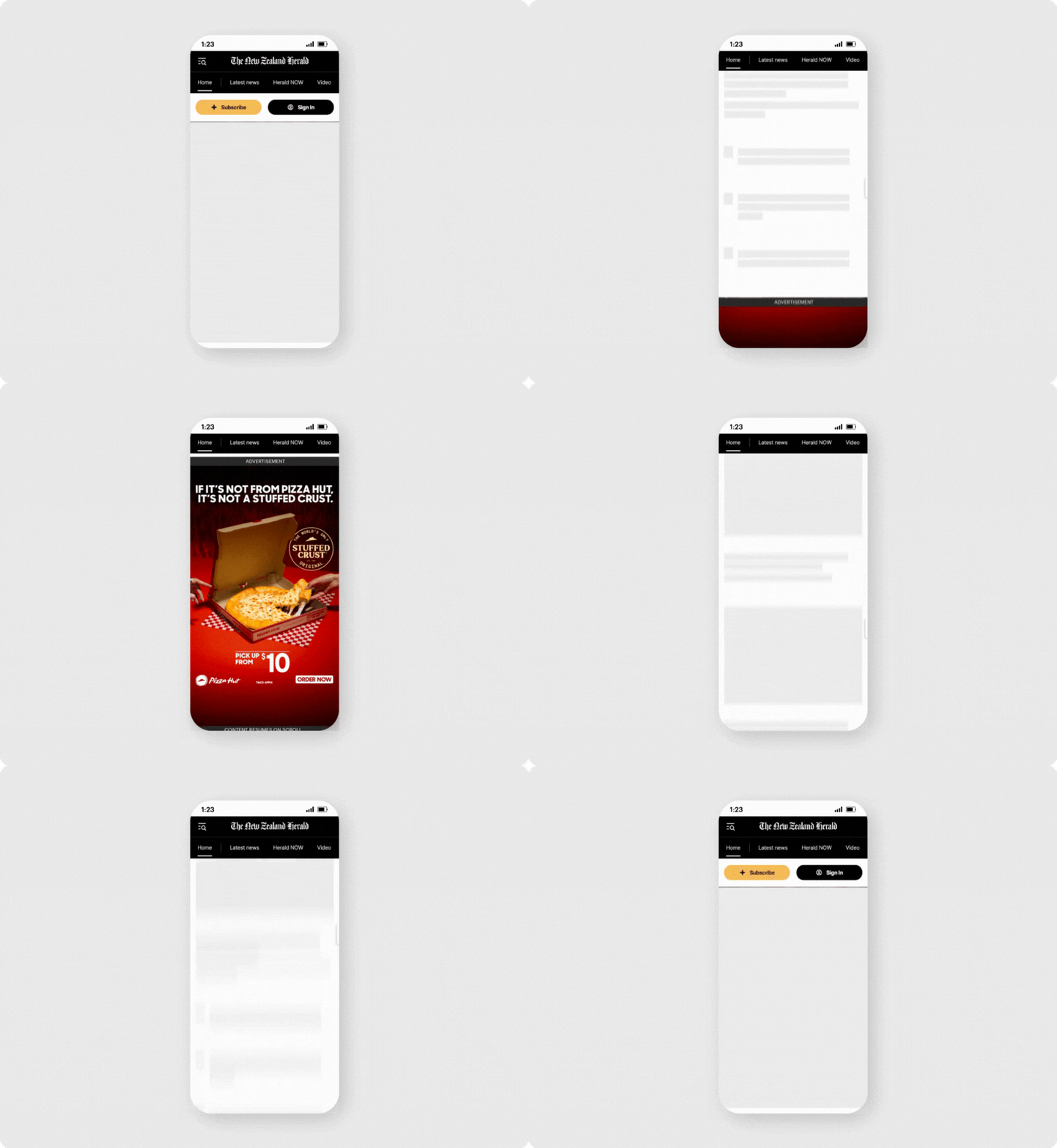
Devices
Mobile web

Websites
The New Zealand Herald

Targeting
Non-subscribers only
Audience targeting or exclusions available on request

Buy type
Cost per thousand (CPM)
Available via direct and programmatic channels

Functionalities and capabilities.
Can be built to include animation, video and/or interactive features.
Minimum $10k spend otherwise creative production costs may apply.
This placement is built exclusively by NZME and must be built by our in-house designers. A design brief will need to be suppled through your NZME Media Specialist.
Ad specifications.
Mobile
Static
| Dimensions | 480 × 960px |
| File formats | Transparent PNG |
| Text safe space | 150px (top and bottom), 50px (sides) |
Animated
| Dimensions | 768 × 1600px (background) |
| File formats | Layered PSD Transparent PNG (for logos, messaging, CTAs) |
Video
| Dimensions | 768 × 1600px (background) |
| File formats | Layered PSD Transparent PNG (for logos, messaging, CTAs) |
| Video asset | 150px (top and bottom), 50px (sides) |
| Aspect ratio | 9:16 |
| Max file size | 3MB |
| Max duration | 30 seconds |
| Link to visual specs | PSD Files |
Additional information.
General guidelines and requirements
- Both foreground and background creative assets MUST be supplied.
- Layered PSD preferred to allow for parallax or animation effects.
Programmatic options
- PG
- PMP
- PD
Browser compatibility
Prohibited
- Avoid using capital letters for emphasis, such as in "All make-up HALF-PRICE buy NOW," except when dealing with acronyms like "NZ."
- Avoid placing text on images, as it can reduce user engagement, clutter visuals, and obscure the core message.
- Creative may be rejected if it’s considered offensive, misleading, overwhelming, or distracting.
Tracking
Third Party impression and click tracking is supported.
Creative options
- Medium rectangle (300x250) only
- Video &/or rich media allowed
- Additional fee applies for rich media or video executions