- Home
- Advertise
- Specifications & Deadlines
- Digital
- BusinessDesk Front Page Takeover
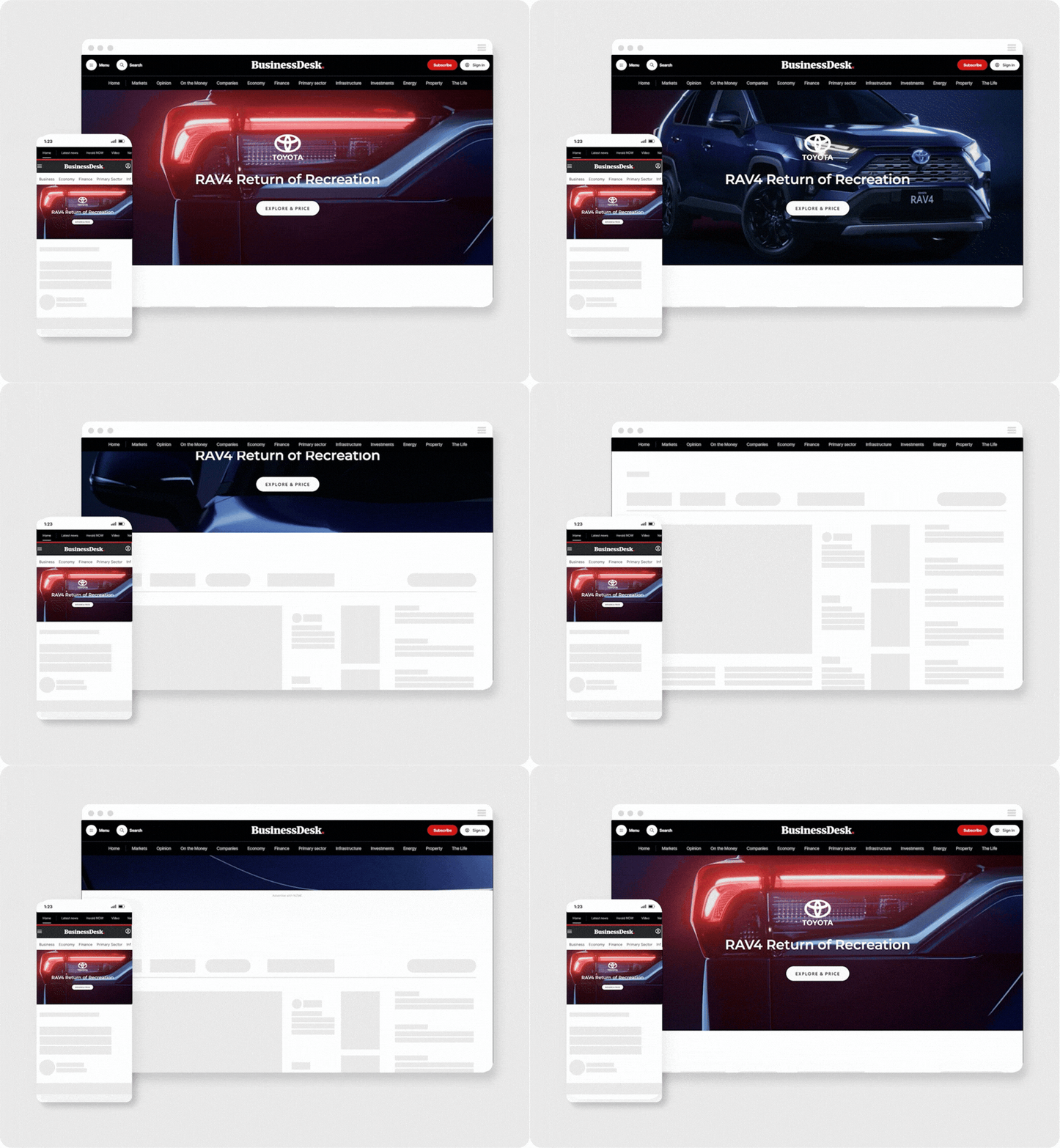
Front Page Takeover.
The Front Page Takeover gives your brand the run of the BusinessDesk homepage. A full-width hero canvas sits alongside a desktop MREC (300 x 250) or Half Page (300 x 600) unit. A mirrored version runs on Mobile. NZ business leaders see your brand the moment they land.
Why use it?
One buy, both screens, 100% share of voice for the week. It reaches over 30,000 BusinessDesk subscribers across corporates, government and high-net-worth investors.

Devices
Desktop
Mobile

Websites
BusinessDesk

Targeting
Tenancy placement served to all eyes, exclusions available upon request.

Buy type
Cost per week (CPW)

Ad specifications.
Desktop
Portal foreground
| Dimensions | 970 × 600px |
| File formats | PSD, transparent PNG |
| Max file size | 500KB (combined with background) |
Portal background
| Dimensions | 1440 × 900px |
| File formats | PSD, JPG |
| Messaging | 500KB (combined with foreground) |
Mobile
Portal foreground
| Dimensions | 320 × 250px |
| File formats | PSD, transparent PNG |
| Max file size | 40KB |
Portal background
| Dimensions | 320 × 620px |
| File formats | PSD, JPG |
| Messaging | 40KB |
Optional creatives
Video
| Dimensions | 4:3 or 16:9 aspect ratio |
| File formats | MP4 - H.264 codec |
| Max file size | 2MB |
| Max duration | 6 to 30 seconds |
Additional information.
Wallpaper guidelines and requirements
- A single image with blank space left in the centre 1190 pixels wide to accommodate the site content.
- The imagery should be contained within 450 pixels on the left and right sides of the wallpaper.
- It is recommended the main messaging is within 117 pixels either side of the content to cater to low screen resolutions. Please note this is also the portion of the wallpaper which is clickable.
Tracking
- Third-party impression and click tracking is supported on both assets.
